Greetings from Last Hunter K: Seoul
In response to inquiries from many Hunters regarding coupon usage, we would like to provide guidance on the improved method to ensure a smoother reward collection process.
Please refer to the details below for the registration method.
[🎁 How to Use Coupons]
📱Android OS
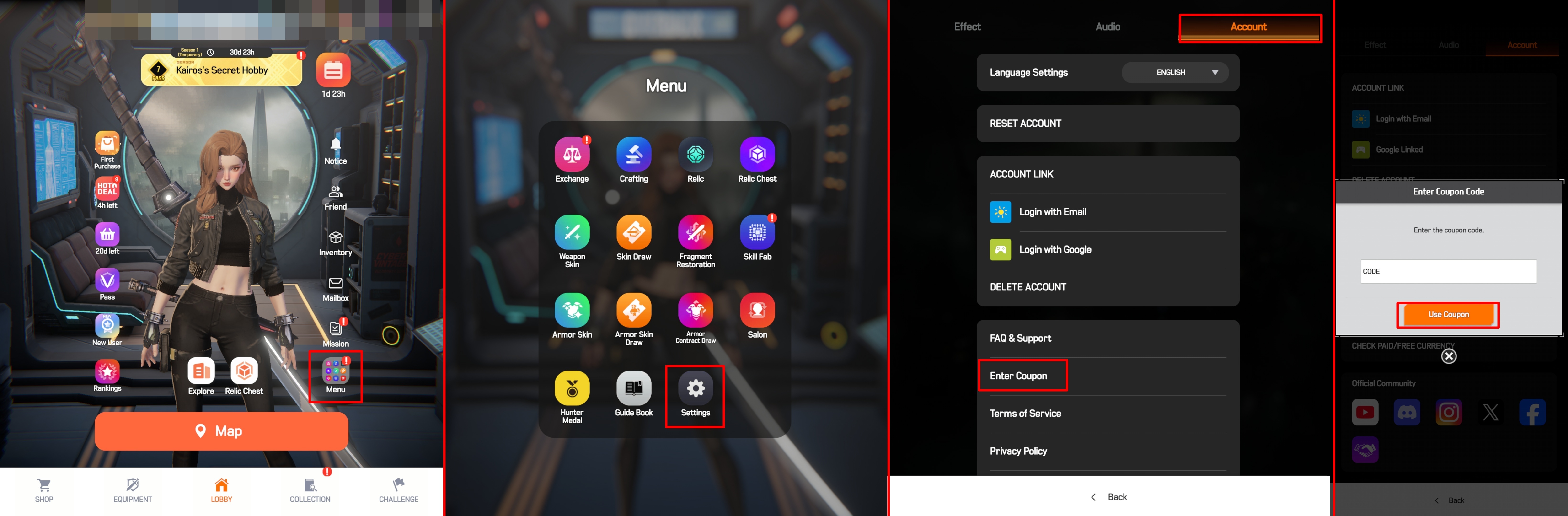
1. Tap the [Menu] button at the bottom right of the Main Lobby.
2. Go to the [Account] tab.
3. Tap [Enter Coupon] and input the correct code.
📱iOS OS
※ Due to iOS policies, we ask for your kind understanding that Hunters using iOS devices must register through the dedicated page below.
1. Go to the iOS Coupon Page
Coupon Page
2. Enter Information
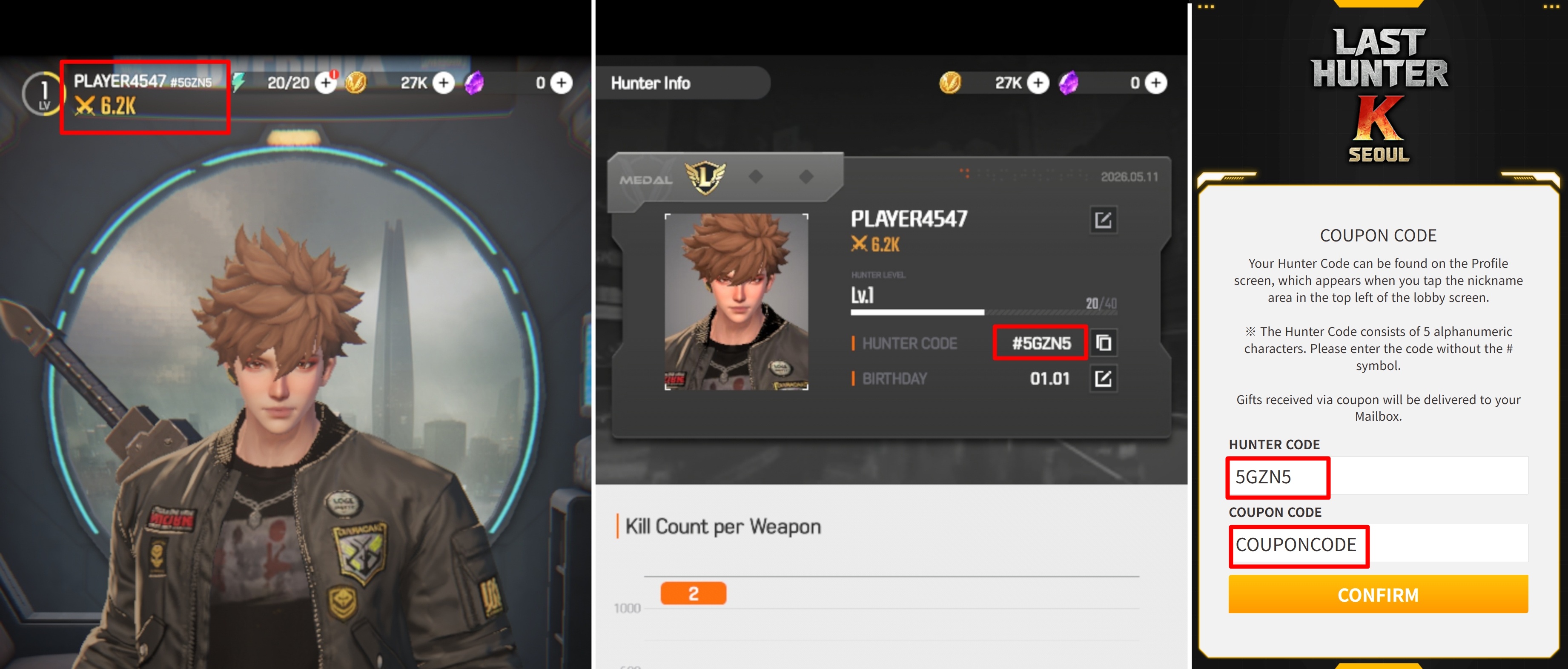
: Enter your Hunter Code along with the Coupon Code.
💡 How to Check Your Hunter Code
※ Your Hunter Code can be found on the Profile screen, which appears when you touch the nickname area at the top left of the lobby screen.
※ The Hunter Code consists of English letters and numbers; please enter it without the '#' symbol.
If you encounter any difficulties following this guide, please feel free to contact our Customer Support at any time.
Thank you.
In response to inquiries from many Hunters regarding coupon usage, we would like to provide guidance on the improved method to ensure a smoother reward collection process.
Please refer to the details below for the registration method.
[🎁 How to Use Coupons]
📱Android OS
1. Tap the [Menu] button at the bottom right of the Main Lobby.
2. Go to the [Account] tab.
3. Tap [Enter Coupon] and input the correct code.
📱iOS OS
※ Due to iOS policies, we ask for your kind understanding that Hunters using iOS devices must register through the dedicated page below.
1. Go to the iOS Coupon Page
Coupon Page
2. Enter Information
: Enter your Hunter Code along with the Coupon Code.
💡 How to Check Your Hunter Code
※ Your Hunter Code can be found on the Profile screen, which appears when you touch the nickname area at the top left of the lobby screen.
※ The Hunter Code consists of English letters and numbers; please enter it without the '#' symbol.
If you encounter any difficulties following this guide, please feel free to contact our Customer Support at any time.
Thank you.